Create an Instagram QR code

Lead people from flyers, packaging, shop windows and events straight to your Instagram profile. In your colors, with the Instagram icon or your profile photo in the center.

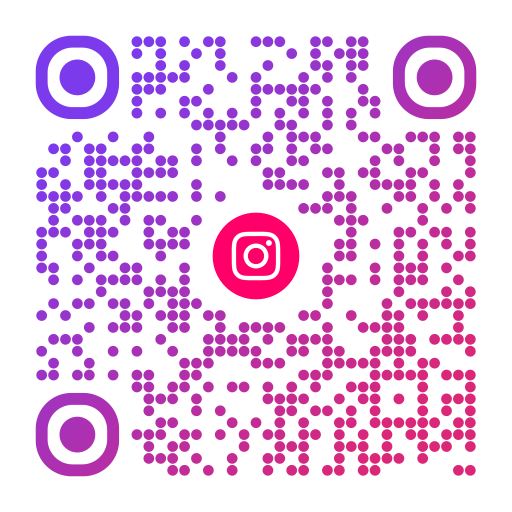
Example Instagram QR code with round modules in a purple to pink gradient and the Instagram icon in the center
Example: scan it with your phone camera.

Create it in 3 steps

  1. Choose social media

    Select Social media in the editor and then Instagram.

  2. Enter your username

    Type your username without the @. The editor shows the profile address the code will open.

  3. Add the icon and design

    In the design step add the Instagram icon or your profile photo, choose colors and download.

Why not just use the code from the Instagram app?

Instagram can show a QR code for your profile in the app. That is handy for sharing on the spot, but the design options are limited and the export is not made for print.

With Scanoli you choose your own colors, shapes and frame, add the Instagram icon or your profile photo, and download the code as SVG or PDF for print. The code opens your profile directly, without a detour through other services.

Where an Instagram QR code works well

  • On packaging and labels: “Follow us for recipes and news”.
  • In shop windows and at the checkout.
  • On flyers, posters and event signs.
  • On business cards and price tags at markets.
  • In print ads, where nobody can click a link.

Tips for more followers

  • Tell people what they get: “Behind the scenes”, “Weekly offers”, “New outfits every day”.
  • Add a short frame text such as “Follow us” so the purpose is clear at a glance.
  • Use your profile photo in the center so people recognize the account immediately.
  • Make sure your profile is public. Private profiles only show a follow request button.

This also works for TikTok, YouTube, Facebook, LinkedIn, X, Threads, Telegram, Snapchat, Pinterest and Spotify. Choose the platform in the editor.
Frequently asked questions

Does the code open the Instagram app?
Yes. If Instagram is installed, the profile opens in the app, otherwise in the browser.
Can I put my profile photo in the code?
Yes. Under Logo choose “Profile photo + icon”, upload your photo and pick Instagram for the small icon below it.
What happens if I change my username?
The code contains your profile address, which includes the username. After a change, create a new code with the new name.
Is the Instagram QR code free?
Yes, completely. No sign-up, no subscription and no expiry date.

Create your QR code now

Free, without sign-up and without expiry date. Download as PNG, SVG, PDF, WebP or JPG.

Create for free