Create a QR code for your menu

Guests scan the code on the table and see your menu on their phone. You keep the menu up to date at any time, without reprinting a single code.

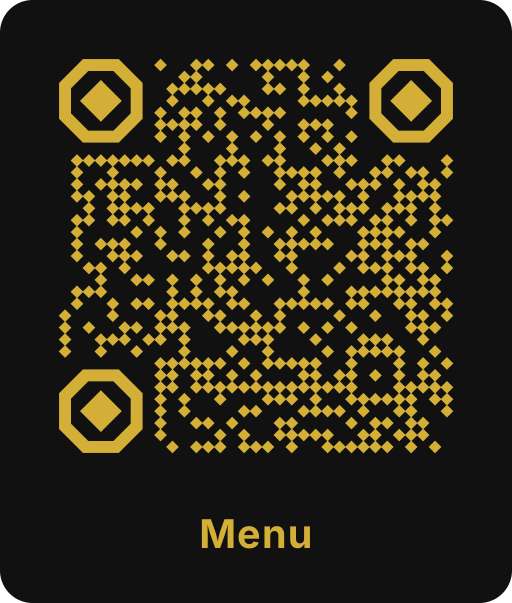
Example menu QR code with gold diamond-shaped modules on black and the label Menu
Example: scan it with your phone camera.

Create it in 3 steps

  1. Put your menu online

    Publish your menu as a web page or PDF, ideally on your own website at an address like yoursite.com/menu.

  2. Create the code

    Choose Link in the editor and paste the address of your menu.

  3. Design for the table

    Add your logo and a frame such as “Menu”, download as PDF and print it for table stands.

Static code, menu always up to date

Scanoli codes are static: the address of your menu is stored directly in the code and never expires. That does not mean your menu is fixed. If the code points to an address you control, such as yoursite.com/menu, simply replace the PDF or update the page there. The printed codes keep working.

This way you do not depend on a QR code subscription that can expire and suddenly leave every table without a menu. More in static vs. dynamic QR codes.

Web page or PDF?

  • Web page: loads quickly, is easy to read on small screens and can be found by search engines. The best choice if you have a website.
  • PDF: quick to set up. Make it mobile friendly: one column, large text and a small file, ideally under 2 MB.
  • Avoid links from file sharing services that change when you upload a new version.

Design and placement

  • Table stands and stickers: 3 to 4 cm wide is easy to scan from a seat.
  • Shop window and entrance: from 10 cm, so people can check the menu before they come in.
  • Use your colors and logo so the code looks like part of your brand.
  • Add a short frame text such as “Menu” or “Scan for the menu”.
  • Use matte material: glossy film reflects light and makes scanning harder.

Keep a few printed menus ready. Not every guest wants to or can use a phone.

More codes for restaurants and cafés

Combine the menu code with a WiFi QR code for your guest network, a location QR code on flyers or an Instagram QR code for photos of your dishes.
Frequently asked questions

Can I update my menu without a new QR code?
Yes, as long as the code points to an address you control. Replace the PDF or update the page at that address and the code keeps working.
Does the menu QR code expire?
No. Scanoli creates static codes without a redirect through our servers and without a subscription.
How big should the code be on a table stand?
About 3 to 4 cm wide. Guests then scan comfortably from their seat. More in the guide on QR code size.
Can I see how often the menu was scanned?
Not with the code itself, because there is no tracking redirect. If you need numbers, use the statistics of your website for the menu page.

Create your QR code now

Free, without sign-up and without expiry date. Download as PNG, SVG, PDF, WebP or JPG.

Create for free